How we built an AI agent that uses a web browser
A behind-the-scenes look at building an AI that clicks, reads and types in a real browser, and the three design choices that made it something you can actually trust.

Ali Hassan
· 4 min read
Quick answer
We split the agent in two: an AI backend that plans one step at a time, and a Chrome extension that carries each step out in the user's own browser. The agent reads the page as structured data instead of guessing from screenshots, every action is shown live with a stop button, and the backend checks each decision before anything touches the page.
"Can AI just do it in the browser for me?"
It's a fair question. A lot of business work happens in web apps that don't connect to anything else. You log in, click around, copy something, paste it somewhere else. If an AI could do that clicking for you, a lot of boring work would disappear.
So we built one. It's a Chrome extension where you type what you want, and an AI agent does it, step by step, in your own browser. It's open source, and you can see the whole project here.
This post is about the problem that made it hard, and the three design choices that made it something you can actually trust.
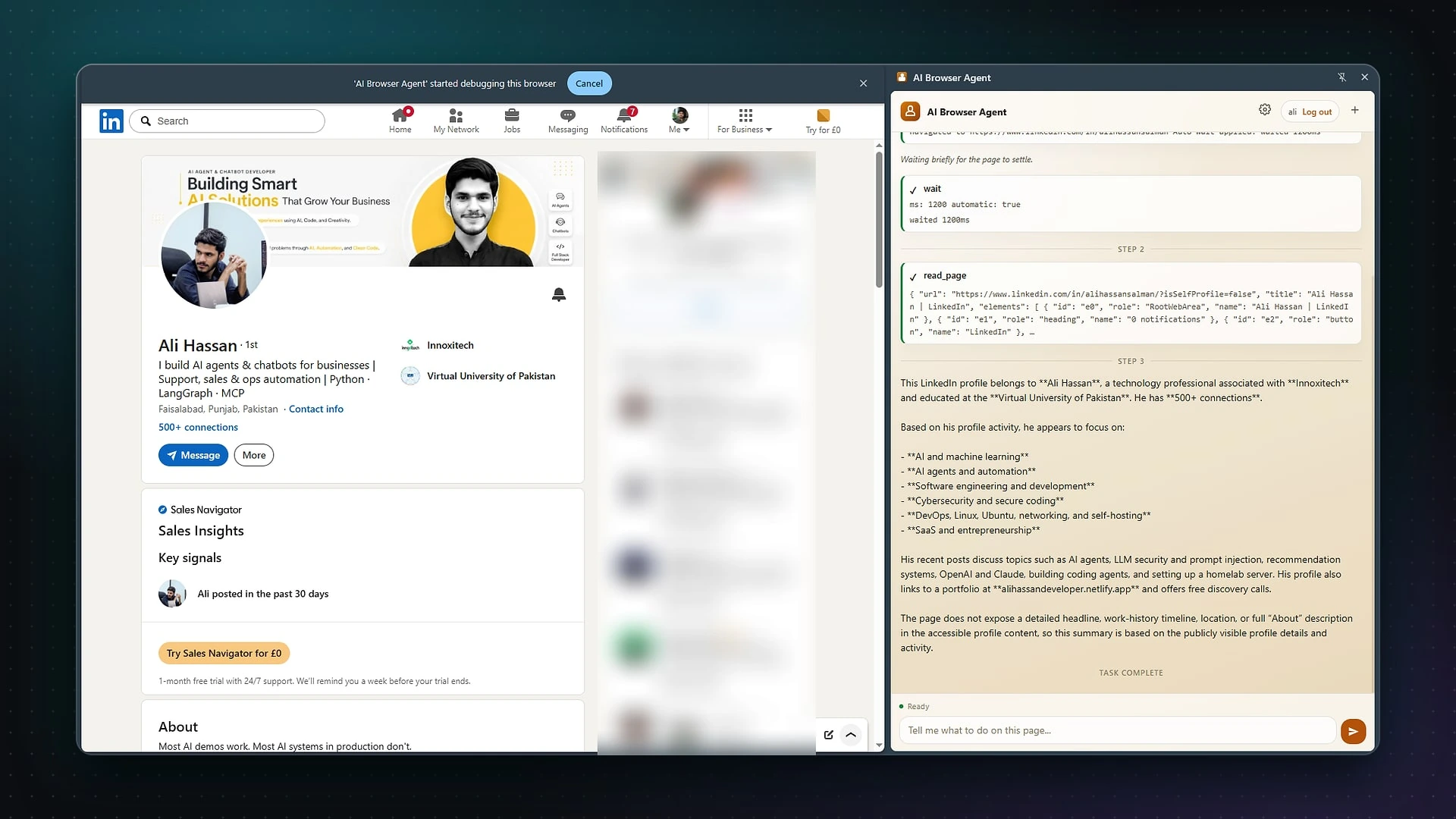
From a real project
The agent working in the side panel, next to the page it's reading.
The real problem: trust
Building an AI that can click buttons isn't the hard part anymore. The hard part is building one you'd let near your accounts.
Most browser agents feel unpredictable. They click things you didn't expect. You can't see why they did something. And when they go wrong, they go wrong fast, while you watch.
So from the start, the goal wasn't "make it as clever as possible". It was: make it feel deliberate, visible and easy to stop. Every design choice came from that.
Choice 1: Split the thinking from the doing
The agent is two separate pieces:
- The brain, a backend server (built with FastAPI and LangGraph), plans what to do next.
- The hands, the Chrome extension, carries out each step in the user's real browser.
The brain never touches the page directly. It decides on one step, the extension does it, and reports back what happened. Then the brain looks at the result and decides the next step. Plan, act, observe, repeat.
Why does that matter? Because every single step passes through a checkpoint. The backend checks each decision against strict rules before anything touches the page, and it limits which browser tools the agent is allowed to use at all. The agent always stays inside a defined box.
It also means a run can pick up where it left off. If something interrupts it, it continues from the last thing it saw, instead of starting over.
Choice 2: Read the page, don't guess from pictures
Many agents work by taking screenshots and trying to work out where to click, a bit like a person squinting at a blurry photo.
Ours reads the page as structured data instead: every element's role and name, like "button: Submit" or "text field: Email". It's how screen readers for blind users understand websites, and it's far more precise than guessing from pixels.
The result: fewer wrong clicks, and steps you can actually read and understand.
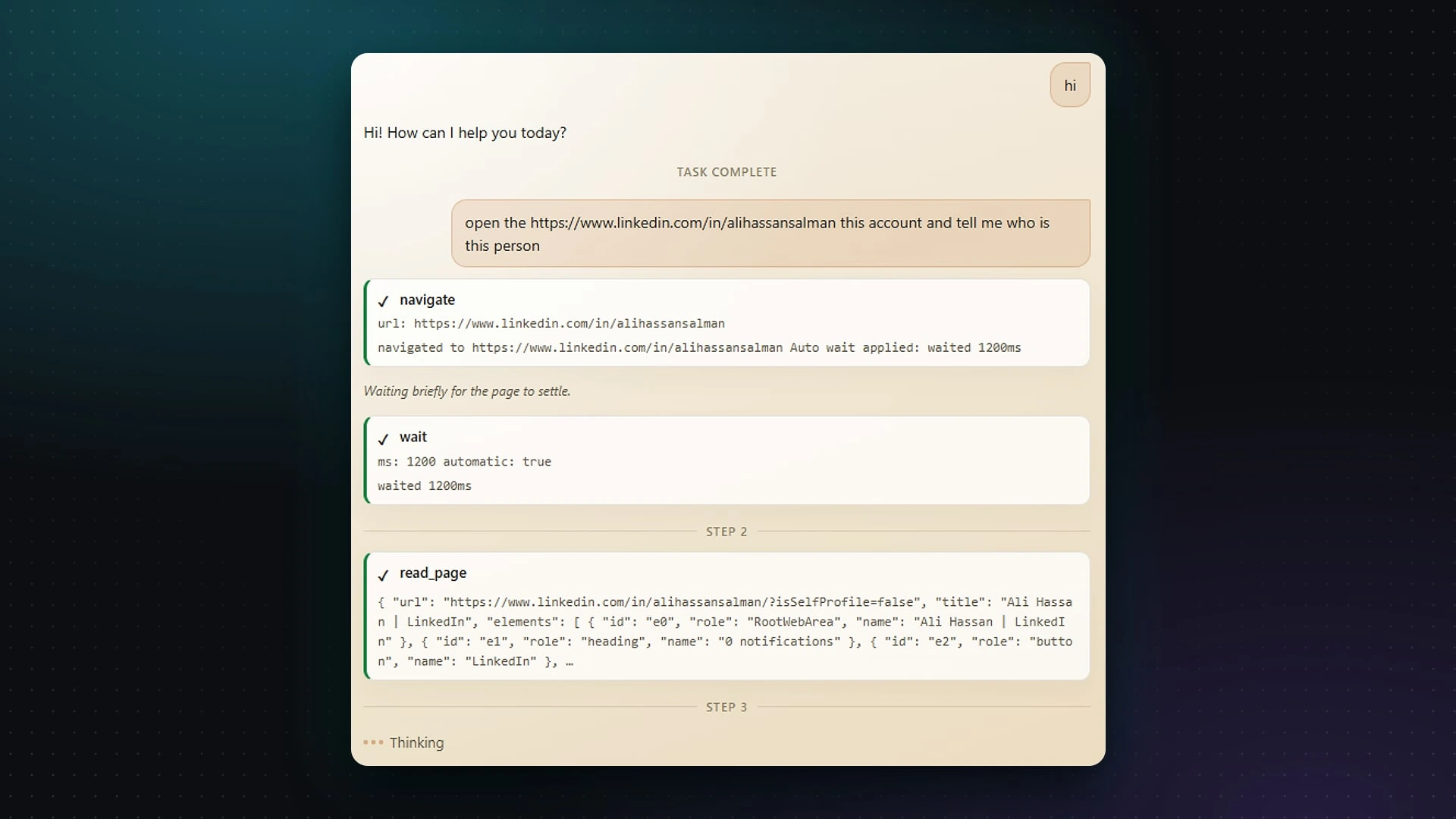
From a real project
Every step is listed with what the agent did and what it saw: navigate, wait, read page.
Choice 3: Show everything, and make stopping instant
The user can see every action as it happens, in a live timeline, with its status. Nothing happens in secret.
And there's a stop button that's always there. One click, and the agent stops. It sounds like a small thing. It's the thing that makes people comfortable letting it run at all.
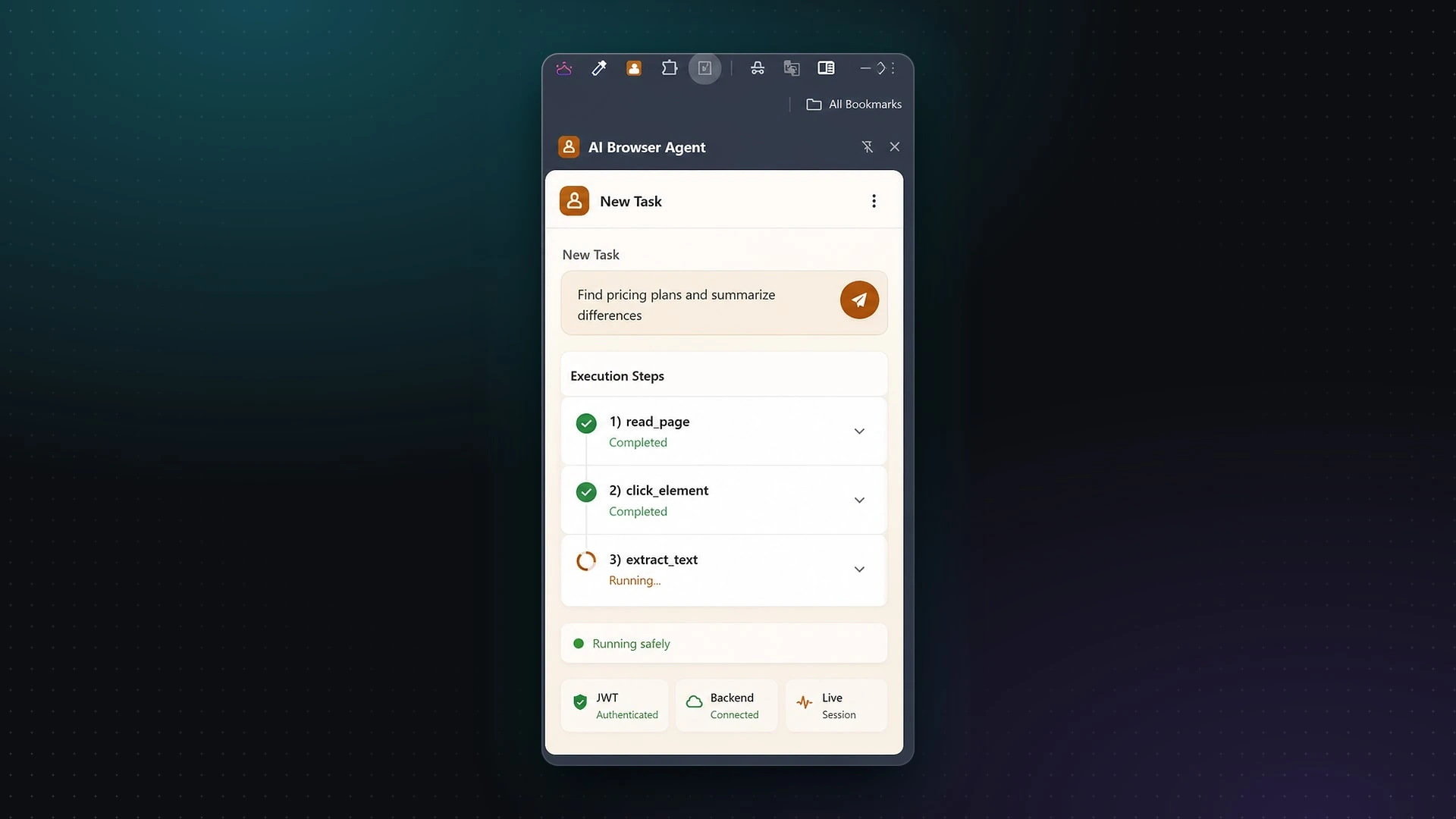
From a real project
The execution timeline: each step and whether it worked.
And one rule about passwords
Some tasks need the agent to log in to things. That's exactly where you need to be most careful.
The rule: no saved passwords live in the extension. Ever. Saved logins are kept on the server, in a secure vault, and sign-in between the extension and the server uses secure tokens (JWT). If someone got hold of the extension, there'd be no passwords in it to steal.
What I learned
1. Visibility beats cleverness. A slightly slower agent that shows its work is far more useful than a fast one nobody trusts.
2. Small steps make AI safer. Asking AI to "do the whole task" is risky. Asking it "what's the one next step?" and checking each answer is much safer, and easier to debug.
3. Use a browser agent only when you have to. This is the honest one. If an app has a proper connection (an API), a normal automation is faster, cheaper and more reliable than any browser agent. Browser agents are for the apps that don't. If you're not sure which you need, automation vs AI is a good place to start.
Where this helps a business
Think of the web tools you use that don't connect to anything: a supplier portal, an old booking system, a government website. A browser agent can log in, find information, fill in forms and bring results back, with a person watching and able to stop it at any time.
The same ideas, small steps, strict limits, full visibility and a stop button, apply to any AI you let work inside your business. It's how we build every AI project, including AI that replies to customers.
Got a web tool your team clicks through by hand every day? Book a free 20-minute call. I'll tell you honestly whether it needs an AI agent, or whether a simpler automation would do the job better.